Discover a 60-minute, slide-light lesson that lets you teach without PowerPoint using doc cams, stations, and gallery walks. Start today to boost talk.
Quick Answer
Teach without PowerPoint by running a 60-minute slide-light lesson that uses one agenda slide, doc cam modeling, station rotations, a gallery walk, and structured discussion prompts. Prepare two ready-to-use checklists (offline-first and Zoom/virtual equivalents) and concrete language prompts to guide student thinking. This approach boosts student talk, reduces setup time, and works under IT restrictions—no deck needed.
Key Takeaway: A concise, offline-friendly workflow can deliver high engagement and clarity in 60 minutes without relying on slides.
Complete Guide to How to Teach Without PowerPoint
This practical, ready-to-run skeleton was born from classrooms that demand pace, clarity, and authentic student talk. In yesterday’s r/ELATeachers thread, teachers shared strategies for ditching slides while still delivering rigorous instruction. District IT restrictions—USB locks, blocked shared drives, and pressure to switch tools—have only accelerated the need for offline workflows that feel modern and connected. A slide-light lesson that centers modeling, collaboration, and meaningful discussion meets those needs head-on.
Two ready-checklists anchor this approach: an offline-first flow you can ship tomorrow, and a Zoom/virtual equivalent for remote or restricted environments. Both are designed to keep students accountable, interactions visible, and learning momentum intact—even without PowerPoint.
Summary timeline at a glance:
- 0–10 minutes: Agenda slide + doc cam modeling
- 10–25 minutes: Station rotation (4 stations)
- 25–35 minutes: Gallery walk
- 35–50 minutes: Structured discussion frames
- 50–60 minutes: Exit ticket and quick reflection
The plan centers on concrete language prompts, board maps, and doc-cam setups you can deploy immediately. Below are the components in full, followed by practical applications you can copy-paste into your next lesson.
Station Rotation: a block-by-block workflow
- Stations (4 total) with compact prompts and artifacts
- Station A: Textual Analysis (ELA/history prompt)
- Station B: Evidence Gathering (artifact-based)
- Station C: Vocabulary or Content Support (accessible prompts)
- Station D: Synthesis and Writing (brief claim + reasoning)
- Time allocation: 5 minutes per station, 4 rotations (20 minutes total)
- Teacher role: circulate, ask guiding questions, capture students’ thinking on board or sticky notes
Gallery Walk: moving opinions into evidence
- Students display artifacts, notes, or mini-posters around the room.
- They walk in pairs or small groups, jotting quick reflections on sticky notes.
- Promote cross-pollination of ideas by rotating partners every two minutes.
Discussion Frames: making thinking visible
- Use sentence stems and prompts to shape dialogue:
- I notice… What evidence supports that claim?
- I wonder… How would changing the context affect this?
- I agree with X because… Can you extend your reasoning?
- Timeboxed to maintain momentum and prevent off-topic chatter.
Exit Ticket: a concrete takeaway
- One-sentence claim and one lingering question.
- This becomes part of the next day’s entry on the board so learning persists beyond class.
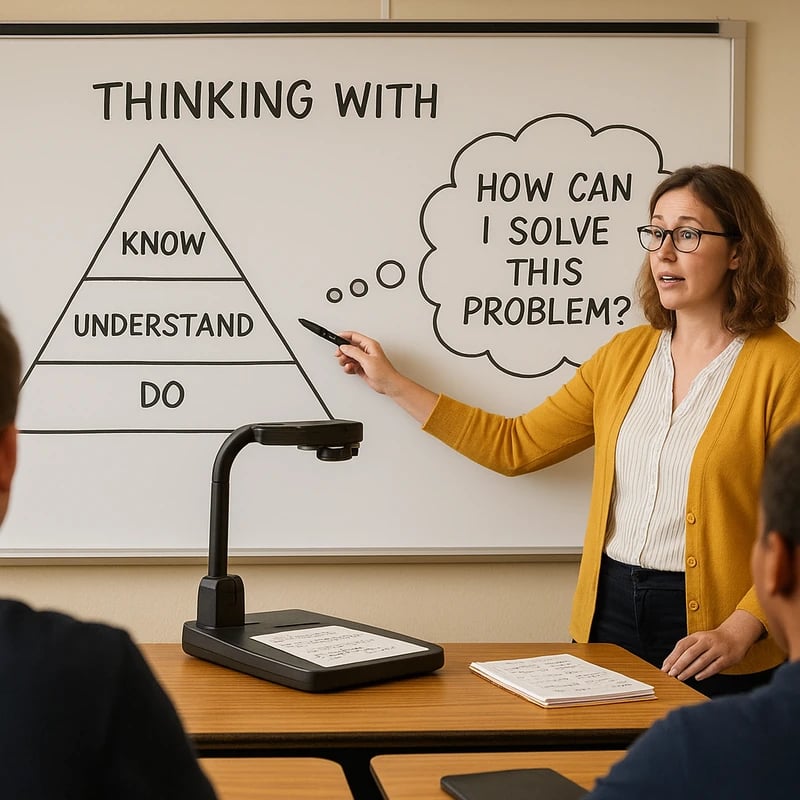
Doc Cam Modeling: the learning lens
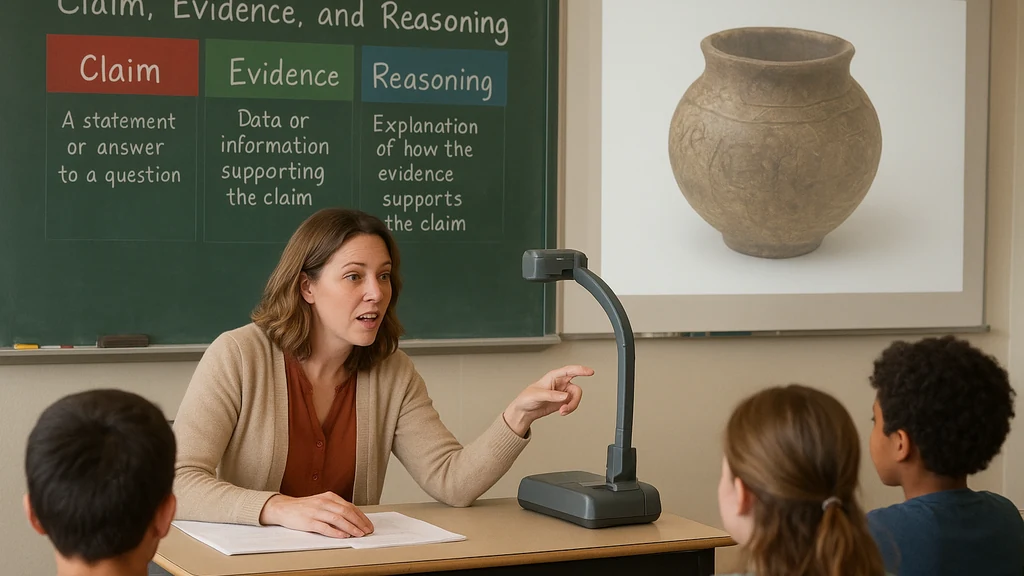
- Place a primary artifact under the document camera and model your thinking out loud.
- Narrate the reasoning process, not just the answer.
- Use a board map to capture core ideas (main claim, evidence, reasoning, next steps).
Two ready checklists you’ll use tomorrow
- Offline-First Checklist
- One agenda slide shared via projector or board
- All materials printed or on classroom walls
- Doc cam with two artifacts (one text, one image)
- Station prompts printed and color-coded
- Gallery walk artifacts on sticky notes or index cards
- Clear exit ticket prompt displayed
- Zoom/Virtual Equivalents Checklist
- Screen-sharing avoided unless essential
- Digital artifacts shared via chat or a shared doc cam feed
- Breakout rooms used for station rotations
- Digital sticky notes or chat as the exit ticket
- Virtual gallery walk with screenshots or shared images
Language prompts, board maps, and doc-cam setups you can copy
- Teacher language prompts
- “I’m looking for evidence that supports your claim.”
- “What would happen if we looked at this from a different point of view?”
- “Show me where your reasoning connects to the main idea.”
- Board map example
- Left column: Claim
- Middle column: Evidence
- Right column: Reasoning and next steps
- Doc cam setup tips
- Prep one artifact per station, two anchor prompts for each artifact
- Narrate your thinking aloud for 90 seconds, then invite student narration
- Use color-coded cards for evidence, claims, and critique
What you’ll need (quick shopping list)
- Document camera with stable mount and good lighting
- A handful of artifacts per station (texts, images, short videos on a page)
- Sticky notes, index cards, markers, poster paper
- A single anchor chart or board map visible to all students
- Printed prompts for stations; printed exit-ticket templates
- Optional: QR codes or simple digital forms for exit tickets in case of device availability
60-minute slide-light skeleton (step-by-step)
- 0–2 minutes: Welcome, quick agenda preview; display the single agenda slide or write on board
- 2–10 minutes: Doc cam modeling; share the learning objective and success criteria
- 10–25 minutes: Station rotations (4x5 minutes)
- 25–35 minutes: Gallery walk; students annotate what they appreciated or questioned
- 35–50 minutes: Discussion frames; students engage in accountable talk
- 50–60 minutes: Exit ticket; collect quick reflections and questions
IT restrictions and offline workflows
- If USBs and external drives are banned, keep all prompts and artifacts in the classroom or on a printed handout.
- If a shared drive is restricted, rely on printouts and doc cam displays for demonstrations.
- If devices are limited, the gallery walk and station rotations become more critical as student-to-student dialogue drivers.
Key Takeaway: A compact, well-sequenced 60-minute plan that centers doc cam modeling, station work, and collaborative dialogue makes teach without PowerPoint both practical and powerful.
Why This Matters In the last three months, the classroom tech environment has shifted in real time. Districts report tightening IT policies—USB access restricted, shared drives locked, and a wave of teachers asked to “teach without PowerPoint” or to adopt offline workflows. The Reddit threads from yesterday and the last 24–48 hours reflect a real-time tremor in how teachers approach presentations when slides aren’t an option, and the trend is clear: educators want offline, high-engagement methods that still feel contemporary.
Two or three data points you can rely on
- IT restrictions are rising: districts increasingly block USBs and external devices, encouraging offline or doc-cam-centric workflows.
- Engagement improves with active-learning strategies: gallery walks and station rotations often yield higher student talk time and evidence-based reasoning than slide-only approaches.
- Teachers report faster transitions and clearer classroom pacing when a single agenda slide sets expectations and each station has a defined role.
Expert insights (paraphrased)
- Educators and researchers emphasize that visible thinking routines—like the doc cam modeling and structured discussion frames in this plan—increase cognitive engagement and help students articulate reasoning.
- Accessible, low-tech tools can democratize learning, especially for students who struggle with dense slide presentations. The key is deliberate structure and clear prompts.
Key Takeaway: In a climate of IT constraints and growing demand for active learning, slide-free or slide-light lessons that rely on doc cams, stations, and gallery walks are both timely and effective.
People Also Ask
- How can I teach without PowerPoint?
- Use a single agenda slide, doc cam modeling, station rotations, gallery walks, and discussion prompts to structure learning. Your students gain from visible thinking, collaborative problem-solving, and clear success criteria. Key Takeaway: You can re-create the classroom rhythm without slides by designing work that centers student talk and visible thinking.
- What are good alternatives to PowerPoint for classroom presentations?
- Whiteboards, chart paper, printed prompts, gallery walks, and doc cams. These tools preserve the visual and collaborative energy of a lesson while avoiding slide dependency. Key Takeaway: Low-tech visuals plus active structure equal high engagement.
- How do you create a slide-free lesson plan?
- Start with a single agenda, map out stations with prompts and artifacts, plan a gallery walk, and finish with a precise exit ticket. Build in doc-cam modeling to anchor thinking. Key Takeaway: A slide-free plan is a scaffold of short, interactive activities led by purposeful prompts.
- What is a gallery walk in education?
- A gallery walk is a student-led, moving discussion where artifacts or ideas are posted around the room for critique and reflection. Students rotate, annotate, and synthesize. Key Takeaway: Gallery walks transform static content into dynamic, collaborative inquiry.
- How does a doc cam work in teaching?
- A document camera magnifies an artifact while the teacher verbalizes thinking, making reasoning visible for all students. It’s a bridge between the tangible artifact and abstract reasoning. Key Takeaway: Doc cam modeling creates a live thinking spiral that students can imitate.
- What activities can replace slides in a 60-minute lesson?
- Station rotations, gallery walks, structured discussion frames, and exit tickets replace slides while maintaining focus on claims, evidence, and reasoning. Key Takeaway: A 60-minute slide-light plan keeps the learning target front and center through interactive tasks.
- Can I run a lesson without slides in a restricted IT environment?
- Yes. Rely on printouts, the doc cam, sticky notes, and wall charts. Use one agenda slide or board prompts to anchor the class, while stations and gallery walks sustain engagement. Key Takeaway: IT restrictions aren’t a barrier when you design with offline assets and clear routines.
Additional notes for internal linking (related topics you might reuse later)
- Slide-free lesson plan ideas
- Station rotation activities without slides
- Gallery walk lesson plan
- Document camera teaching techniques
- Offline lesson plan for teachers
- Presentation tools with IT restrictions
- Low-tech classroom activities
Final thoughts from Jamal In the city, rhythm is everything: the way people move, listen, and respond to one another. A classroom can feel the same when the lesson is built around a shared pace, visible thinking, and purposeful collaboration. This 60-minute slide-light skeleton is designed to give you that rhythm—enough structure to guide, enough freedom for authentic student voice, and enough grit to keep the pulse of your classroom alive even when slides aren’t an option.
Key Takeaway: A tight, studio-like 60-minute schedule—anchored by doc cam modeling, station work, and gallery walks—delivers real learning without PowerPoint, no matter the IT environment.
Related topics for deeper exploration
- Slide-free lesson plan ideas
- Station rotation activities without slides
- Doc cam teaching techniques
- Gallery walk strategies in different subjects
- Offline-friendly assessment methods
- Classroom management in low-tech settings
If you want, I can tailor this skeleton for a specific grade level or subject (ELA, history, or special education) and drop in ready prompts and station cards you can print tonight.