Discover how AI PowerPoint macro workflows balance speed and security with redaction, signing, and auditable prompts to deliver compliant client decks.
Quick Answer
AI PowerPoint macro speed can transform client deck production, but safety and policy discipline are non-negotiable. The definitive workflow combines redaction before generation, offline or enterprise-approved models, macro signing, least-privilege execution, and auditable prompts. When policy gates are in place, use Copilot-enabled workflows with governance or fall back to on‑prem/manual methods to protect NDAs and confidential data.
Key takeaway: speed without safeguards isn’t scalable—you need an auditable, policy-driven process for AI PowerPoint macro usage.
Complete Guide to AI PowerPoint macro
Context matters when you’re building client-facing decks. The balance between speed and security isn’t a trade-off you can accept as a given; it’s a governance problem with practical, repeatable steps. This guide lays out an enterprise-ready workflow for AI PowerPoint macro use that respects data boundaries, client contracts, and internal controls.
-
Data classification first. Define what can be used in AI-assisted generation and what must be redacted or converted into placeholders. Conduct a data sensitivity assessment before touching any client content with AI tools. Use label gates (Public, Internal, Confidential, Restricted) that map to your DLP and data-loss prevention systems. A robust AI PowerPoint macro workflow treats content as data that requires protection by default.
-
Local or enterprise-grade models. Prefer offline or on-premises AI capabilities for anything that touches confidential content. If you must use cloud models, route only non-confidential prompts or employ a vetted enterprise model with strict data handling agreements and session-based isolation. The enterprise model should respect retention limits and have no data export outside your control. This ensures AI PowerPoint macro outputs stay within your corporate boundary.
-
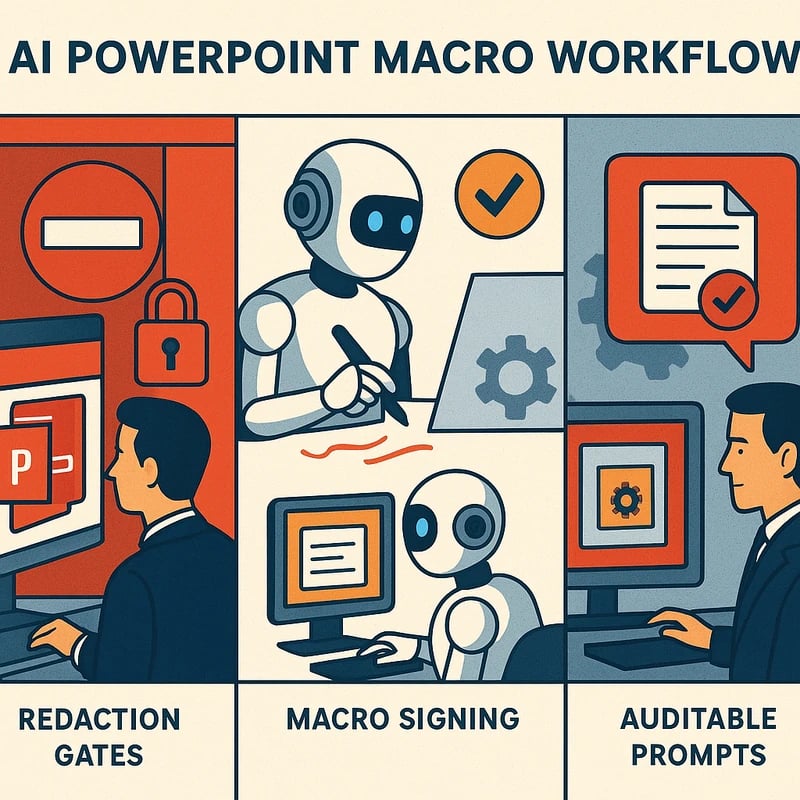
Macro signing and trust. Ensure every AI-generated macro or macro-assisted template is digitally signed by a trusted publisher. Establish a policy that prohibits untrusted macros from running without a formal approval workflow. Use code-signing certificates and a centralized macro repository with version control and revocation procedures.
-
Least-privilege execution. Run PowerPoint macros with the minimal privileges required and no admin rights on end-user devices. Restrict network access for macro-enabled sessions and disable or sandbox any network calls that could leak content. Apply application whitelisting so only approved macros execute in controlled environments.
-
Policy-friendly prompts. Craft prompts that avoid requesting or inferring confidential details. Use placeholders (e.g., [CLIENT_NAME], [CONTRACT_VALUE]) that are replaced only within a secure, redacted environment. Maintain a prompt library that aligns with your data governance policy, NDA terms, and client-specific restrictions.
-
Redaction gates and classification integration. Before a deck leaves your environment, run an automated redaction pass to strip or mask sensitive identifiers. Tie the redaction process to your data classification scheme so each prompt’s outputs remain within policy-compliant boundaries.
-
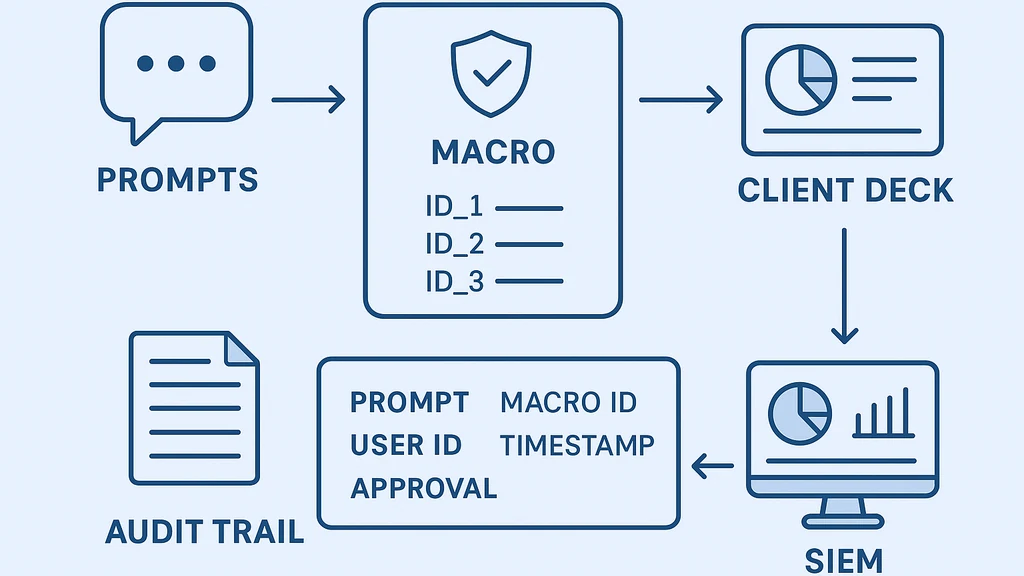
Auditable prompts and outputs. Log prompts, inputs, outputs, macro IDs, user IDs, timestamps, and approvals in an immutable audit trail. Tie this trail to an enterprise analytics or security information and event management (SIEM) system. Make it easy for reviewers to trace how a deck was produced, what data was used, and who approved it.
-
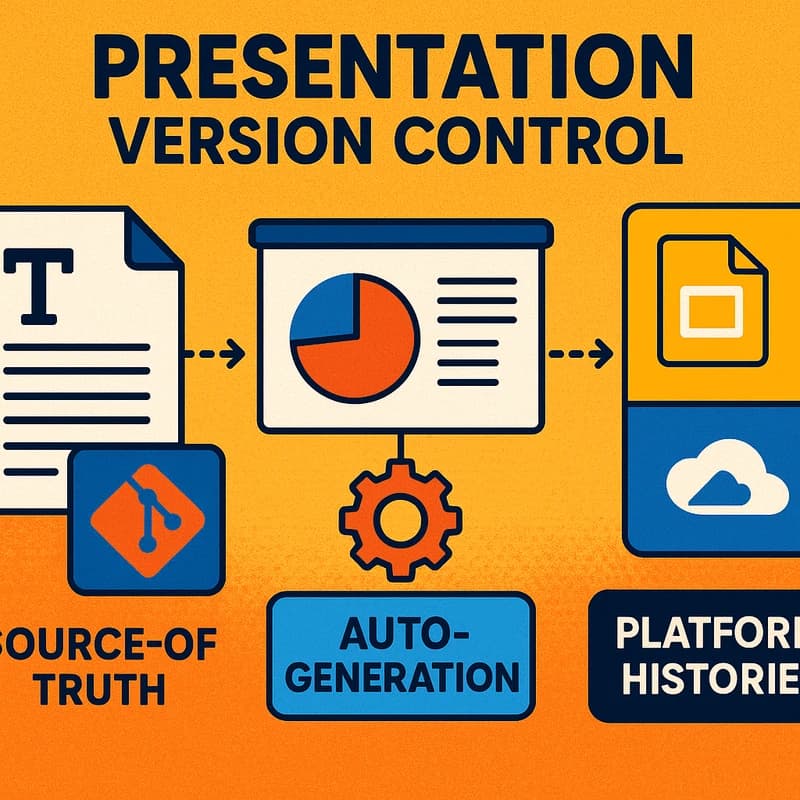
Version control and approvals. Use a formal deck versioning system, with approvals required for every AI-assisted deck intended for client delivery. Track changes, store rationale for AI choices, and require a sign-off from a data governance or security officer before client-facing delivery.
-
Decision trees for Copilot vs on-prem. When is Copilot allowed? When is it not? If data is regulated or particularly sensitive, default to on-prem or offline workflows. If the client engagement permits copilot usage with policy constraints, enable it under strict gates (data redaction, prompts vetted by policy, and post-generation review). A clear flowchart helps teams decide in real time.
-
Practical examples. A sales engineer uses a templated AI PowerPoint macro to populate a generic deck with redacted client metrics, then a compliance reviewer approves the version with a single-click sign-off. The final deck is saved in a restricted folder with version history and an export audit.
-
Training and culture. Run regular training on data classification, redaction techniques, macro signing, and audit readiness. Use simulated client decks to practice governance workflows so teams are fluent with policy gates before engaging real client work.
-
Related governance topics. This workflow intersects with data loss prevention, data classification, NDA compliance, macro security, and software supply-chain governance. Aligning these domains reduces risk when you scale AI PowerPoint macro use across teams.
Key takeaway: A disciplined AI PowerPoint macro workflow hinges on data governance, model choice, signing, least-privilege, redaction, and auditable records. These elements let you push speed without violating NDAs or client contracts.
Why This Matters
The pressure to accelerate client decks is tangible. In the last quarter, enterprise teams faced a growing tension between speed and security as AI-enabled tools entered the workflow. Anecdotal evidence from industry discussions shows two clear patterns:
-
Policy friction is rising. Reddit discussions among consultants emphasize investigations into using GenAI for client content and the subsequent bans or restrictions when dealing with confidential decks. Practitioners report a need for decision trees that clearly separate when Copilot or third-party slide tools are allowed versus on‑prem or manual methods.
-
Demand for auditable governance grows. LinkedIn and other professional networks have highlighted a wave of prompts encouraging “let AI make your slides,” triggering concerns about data leakage and client confidentiality. Enterprises increasingly demand auditable prompt logs and macro provenance to satisfy NDAs and regulatory expectations.
Two to three stats orIndustry trends you can anchor your planning with:
- Enterprises increasingly adopt formal AI governance for client work, with governance adoption rising in the high teens to low tens of percent year over year. This shift is driven by data protection regulations and client-contract constraints.
- Security teams report a growing concern about data leakage when AI is used to generate client content, prompting stricter macro controls, content redaction, and session-based access policies.
- In environments where AI is permitted, teams lean on offline/local models or enterprise-grade copilots with strict data-handling policies to avoid cloud leakage, often combining it with robust audit trails and sign-off workflows.
Expert angles to keep in mind: executives emphasize that speed must be coupled with policy controls; security leaders point to the necessity of classification-driven redaction and macro signing as baseline controls for any client-facing AI workflow.
Key takeaway: The current moment demands a hybrid approach—use AI for speed, but anchor every deck to governance, redaction, and auditable processes to satisfy client expectations and regulatory requirements.
Practical Applications
-
Build-ahead decks with redaction-ready templates. Create AI-assisted slide templates that auto-populate with non-confidential placeholders. The macro fills placeholders in a redacted version first, which is then reviewed and released only after approvals.
-
Compliance-first automation. Use digital signatures on every macro and maintain a central repository of approved macros. Implement automatic checks that verify macro signatures and restrict execution to signed, trusted sources.
-
On-prem/offline AI for sensitive data. When client data is sensitive, run the AI process entirely offline. Store prompts and outputs in an isolated environment and export only after redaction and approvals.
-
Audit-ready prompts. Maintain a prompt library with versioned prompts that are linked to the deck they produced. Ensure prompts are accessible only through a controlled interface and that all prompt usage is logged.
-
Decision-tree driven workflow. Include a simple decision tree in the onboarding materials: If data is confidential, use on-prem/offline; if data is low-risk, allow enterprise Copilot with gates; always require redaction, signing, and audit logging.
-
Real-world example: A product marketing team uses AI PowerPoint macro to draft a deck with placeholders for customer data. Redaction is applied automatically, the macro is signed, and a compliance reviewer validates the deck before it’s shared with the client. The final version sits in a restricted folder with a full audit trail.
Key takeaway: Operationalize AI PowerPoint macro usage with templates, governance gates, and auditable prompts to create a scalable, safe automation pipeline.
Expert Insights
-
Governance-first mindset. Industry experts argue that governance must precede automation. In practice, this means establishing data classifications, signed macros, and auditable logs before enabling AI-assisted slide generation for client-facing decks.
-
Redaction as a design principle. Redaction is not a secondary step; it’s a design constraint baked into the macro. Prompts should be designed to avoid embedding sensitive content, with automatic redaction applied in the generation pipeline.
-
Auditability as a feature, not a by-product. The most robust workflows treat every AI interaction as an auditable event. This includes prompts, model choices, macro IDs, and approvals.
-
Future-proofing through policy. As enterprise AI policies evolve, teams should design workflows that can adapt quickly—switching from Copilot-enabled paths to on-prem paths without substantial process changes.
Key takeaway: Experts recommend a governance-first, redaction-centered, auditable approach that scales with policy evolution and enterprise needs.
Common Questions
- Is it safe to use AI for client presentations?
- How can I keep confidential data safe when using AI with PowerPoint?
- What is Copilot in PowerPoint compliance?
- How do I sign and trust PowerPoint macros?
- What are the risks of AI-generated slides leaking data?
- When should I avoid AI in client decks due to policy?
- What workflow can ensure auditability for AI deck creation?
- How can redaction be implemented in AI PowerPoint macro?
- What about offline/local AI models for PowerPoint?
- How do classification gates work in practice?
- How to implement least-privilege for macros?
Key takeaway: A structured FAQ helps teams navigate quickly to the exact policy and technical steps they need.
Next Steps
- Map your data types to your AI policy. Create a data classification matrix and align it with your AI governance framework.
- Build a redaction-first macro template library. Develop templates that enforce redaction rules, placeholders, and audit logging.
- Establish a signing and distribution process. Implement digital signatures for macros and a controlled repository with access controls and version history.
- Create an easy-to-use decision tree for teams. Document when Copilot is allowed and when on-prem/offline methods are required, including example prompts and gating rules.
- Run a pilot with cross-functional stakeholders. Include legal, security, product, and client-facing teams to test end-to-end workflow, measure risk, and refine controls.
Key takeaway: Turn governance into a repeatable playbook—then scale, iterate, and train.
Related topics for internal linking (no links provided here): AI governance, data loss prevention, data classification, NDA compliance, macro security, software supply-chain governance, prompt design, auditability, version control, least-privilege access, redaction techniques, offline AI workflows, enterprise Copilot policies, confidential data handling, compliance review processes.
People Also Ask
Is it safe to use AI for client presentations?
Yes, but only under a governance-driven workflow. Use redaction, offline/on-prem models for sensitive data, and audited prompts with macro signing. The safe approach emphasizes a controlled environment, data classification gates, and an auditable trail from prompt to deck delivery. Key takeaway: Safety comes from governance, not just tooling.
How can I keep confidential data safe when using AI with PowerPoint?
Classify data, redact sensitive elements, and ensure macro and prompt constraints prevent leakage. Run AI processes in isolated environments, keep outputs within restricted storage, and require approval before sharing client-facing decks. Key takeaway: Redaction and isolation are foundational.
What is Copilot in PowerPoint compliance?
Copilot in PowerPoint compliance refers to using Copilot-enabled workflows where policy gates are enforced, data is protected, and prompts are audited. It’s allowed only when enterprise policies are satisfied—else, switch to on-prem/offline methods. Key takeaway: Copilot can speed sessions, but only with guardrails.
How do I sign and trust PowerPoint macros?
Use digital signatures from a trusted certificate authority, maintain a centralized, versioned macro repository, and enforce policy-based execution that only allows signed macros to run in controlled environments. Key takeaway: Signing builds trust and reduces risk.
What are the risks of AI-generated slides leaking data?
Risks include inadvertent exposure of confidential data through prompts or generated content, model training data leakage, and unsanctioned data leaving the enterprise through cloud-based tools. Mitigation relies on redaction, on-prem/offline processing, and strict access controls. Key takeaway: Guardrails reduce leakage risk.
When should I avoid AI in client decks due to policy?
If the data is regulated, NDA-heavy, or could compromise confidential client information, switch to non-AI or on-prem processes with all appropriate approvals. Policy friction often governs these decisions more than technical capability. Key takeaway: When in doubt, choose safety and compliance.
What workflow can ensure auditability for AI deck creation?
Log every prompt, macro ID, and output; require approvals for each deck; store a tamper-evident audit trail; and centralize prompts, models, and macro signatures in a governed repository. Key takeaway: Auditability is the backbone of trust.
How can redaction be implemented in AI PowerPoint macro?
Embed redaction steps into the macro: detect sensitive fields, replace them with neutral placeholders, and ensure redacted content is confirmed by a reviewer before sharing externally. Key takeaway: Redaction should be automated and verifiable.
What about offline/local AI models for PowerPoint?
Offline/local models reduce exposure risk. They require robust packaging, secure model storage, and strict governance around prompts and outputs—ideally integrated with an auditable workflow. Key takeaway: Local models are a safer default for sensitive client content.
How do classification gates work in practice?
Classification gates map data types to handling rules within the macro pipeline. If content is Confidential or Restricted, the macro outputs redacted content and/or blocks sharing until approval. Key takeaway: Gates enforce policy before output.
How to implement least-privilege for macros?
Run macros with minimal permissions, restrict network access, enforce whitelisting, and separate development, test, and production macro environments to minimize blast radius. Key takeaway: Least-privilege reduces attack surface.
Final note from Mei Lin: In the intersection of AI speed and client trust, your deck-building process should read like a curated exhibition—every artifact (data, prompt, macro) protected by a careful frame (policy, redaction, signing). When teams adopt a transparent, auditable workflow, they transform fear of AI into confidence in results. That’s how you create client-ready decks at the pace of ideas, without compromising security or contracts.