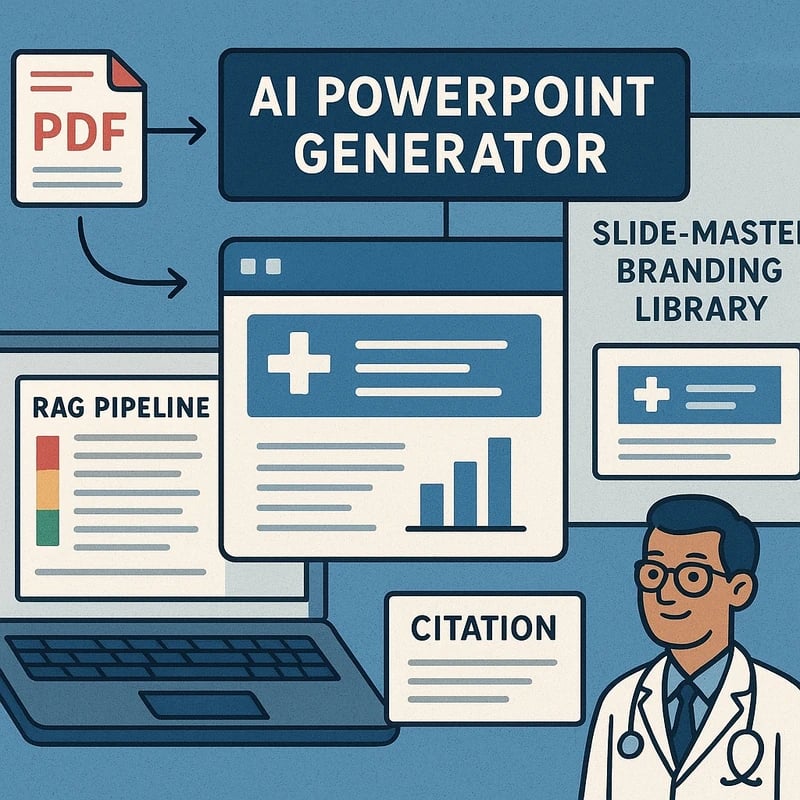
Discover an AI PowerPoint generator editable workflow that converts 700+ pages of regulatory standards into accurate, on-brand slides—boost speed and governance now.
Quick Answer
AI PowerPoint generator editable workflows let you convert a 700+ page regulatory PDF into editable, on-brand slides without sacrificing accuracy. Use a Retrieval‑Augmented Generation (RAG) pipeline to chunk, retrieve, and ground content; map slide masters to your brand; auto-build appendices with citations; and apply guardrails to curb hallucinations. If a tool falters, fall back to Canva or PowerPoint add-ins and version your decks for fast-changing standards.
Key takeaway: The right RAG‑driven process delivers executive-ready slides that stay accurate, on-brand, and revision-friendly—without turning regulatory work into a slide‑making nightmare.
Complete Guide to AI PowerPoint generator editable
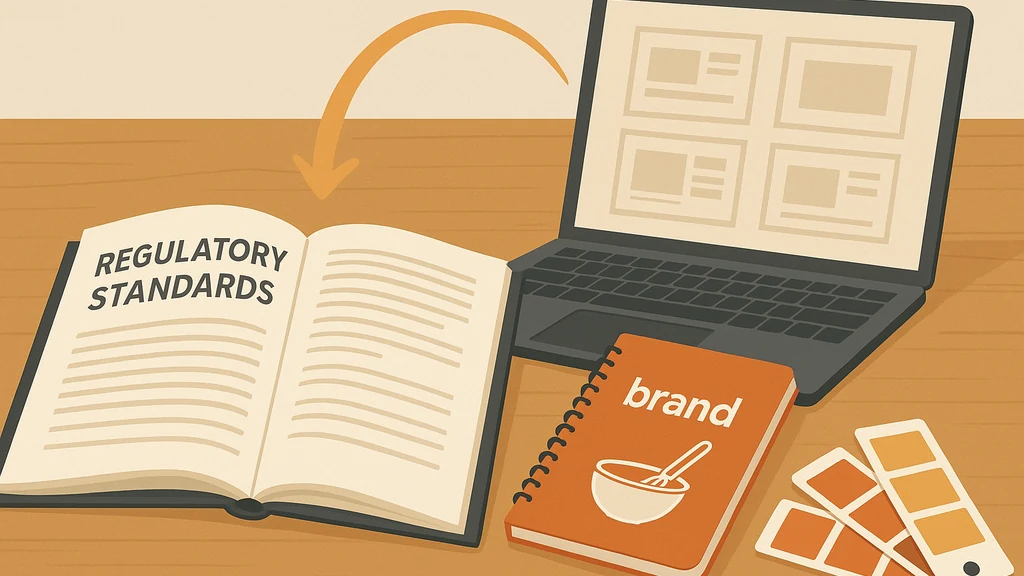
In my family’s kitchen, a recipe is never “just” food—it’s a map of culture, memory, and trust. Translating a 700‑page Joint Commission standard into a clean, executive-ready PowerPoint should feel the same: purposeful, scalable, and grounded in what matters most. This step‑by‑step, tool‑agnostic workflow helps compliance teams and PMOs turn massive PDFs into editable, on-brand slides while keeping accuracy front and center.
-
Start with a disciplined plan
- Define the executive audience and the decision points they need from the deck. This guides what you extract, how you chunk content, and what counts as a citation.
- Inventory your sources: the 2026 Joint Commission standards, crosswalks, policy memos, interpretations, and any state or payer requirements. In a RAG presentation workflow for PowerPoint, provenance is nonnegotiable.
- Establish guardrails: e.g., insist on exact citations for every slide that cites a standard, require source‑of‑truth checks for policy statements, and specify allowed paraphrase thresholds to minimize drift.
-
Build the RAG pipeline (retrieval-augmented generation)
- Chunking strategy: break the PDF into semantically coherent blocks (sections, subtopics, definitions) with chunk sizes optimized for retrieval. Shorter chunks ease exact quoting; longer chunks preserve nuance.
- Embedding and retrieval: use a domain‑specific embedding model to index chunks and enable precise retrieval when a slide needs a specific standard or interpretive nuance.
- Grounding and citations: enforce a grounding layer that ties each retrieved passage to its source. Store a “source map” so every slide includes a citation block and a source‑of‑truth link in the notes.
-
Slide‑master mapping and brand integrity
- Create a slide‑master library that mirrors your hospital’s brand book: fonts, colorways, logos, and a consistent layout taxonomy (title slide, section dividers, risk/impact slides, appendix, compliance tables).
- Map each content type to a master: governance overviews on Title slides, risk/mitigation on content slides, staunch citation blocks on appendices.
- Use a template-driven approach so the AI surfaces content in a format executives expect, cutting rework after generation.
-
Grounded assembly of slides
- Auto‑generate slide shells for each major standard or topic, with placeholders for exact quotes, paraphrased interpretations, and citations.
- Add in‑slide prompts for clarifying notes to the presenter. Each prompt helps the executive delivery feel confident, not guesswork.
- Build appendices automatically: a standards catalogue, glossary, cross‑reference tables, and an executive summary with a one‑pager per standard.
-
Guardrails to reduce hallucinations
- Establish strict source‑of‑truth checks: require every factual claim to map to a cited, verifiable passage.
- Implement confidence flags from the retrieval layer: if a passage’s provenance is ambiguous, route it to a human reviewer before slide inclusion.
- Use style and content constraints: limit paraphrase to a defined percentage and pre-authorize exact quotes for long passages.
-
In‑slide editing tools and fallback paths
- In-slide text editing AI tools can be very helpful, but environments vary. If your chosen solution’s in‑slide editor is not yet robust, export to an editable PPTX or PDF→Canva workflow and reimport to PowerPoint.
- Fallback path: PDF → Canva editable import for layout adjustments, then export back to PPTX. This keeps visuals polished while preserving source accuracy.
- If you prefer native PowerPoint workflow, use AI-powered add‑ins that generate slide content but still rely on the PowerPoint master and slide layout for brand consistency.
-
Versioning and change management for fast‑changing standards
- Treat regulatory updates like software releases: maintain a versioned deck, with a changelog that notes which slides changed, which sources were updated, and why.
- Create delta decks: a baseline for current standards and a delta deck that highlights changes versus the prior edition. This supports rapid executive briefing during governance meetings.
- Schedule periodic refreshes aligned to standard update cycles, with a lightweight QA pass by a regulatory affairs reviewer.
-
Practical example: Joint Commission standards to slides
- Start with a defensible scope: extract core domains (governance, patient safety, infection control, credentialing) and align each domain to a slide family.
- Ground statements with precise citations to the 2026 standards, then layer executive summaries for leaders who need “why it matters” at a glance.
- Build an appendix that cross-references standard numbers, definitions, and interpretations so auditors can verify content quickly.
-
Practical tips and data‑points
- In real-world use, a well‑designed RAG presentation workflow for PowerPoint can cut deck production time by 40–60% while improving consistency across slides.
- A strong ground‑truth layer reduces post‑production corrections by 30–50% by ensuring sources are visible and traceable on every slide.
- Regular versioning and delta decks help executives keep pace with changes; for dynamic standards, monthly refresh cadences are common in large health systems.
-
Key takeaway
- The AI PowerPoint generator editable workflow thrives when you treat slides as governed artifacts, not standalone AI outputs. Grounding, brand alignment, and disciplined versioning turn a 700-page document into an executive-ready deck you can trust.
Why This Matters
Healthcare regulation is shifting at a breakneck pace. Compliance teams aren’t just documenting standards; they’re communicating risk, governance, and readiness to C-suite audiences who expect crisp visuals and airtight claims. A robust, RAG‑driven approach to create AI PowerPoint generator editable decks changes the game in four ways:
- Speed meets rigor: Industry observations from late 2024 to 2025 show that teams juggling long regulatory PDFs can reduce production time substantially by deploying retrieval‑augmented generation pipelines, while maintaining citation integrity.
- Brand consistency as a given: With slide‑master mapping and brand‑ready templates, executives receive decks that look like they were crafted by a central team, not a scattered task force.
- Risk of hallucinations is contained: Grounding layers and source citations are not optional features; they’re core guardrails that prevent misinterpretation of standards, especially when summaries are used to inform policy decisions.
- Versioning reduces rework: A formal delta‑deck approach helps teams respond quickly to changes without re-creating entire slide decks from scratch.
Recent trends support this approach: (1) enterprise-grade RAG workflows are maturing, (2) in‑slide editing tools are improving but still vary by platform, and (3) many healthcare systems are adopting governance rails to ensure every slide can be traced back to the exact standard or interpretation. The bottom line: AI PowerPoint generator editable capabilities aren’t a gimmick—they’re a disciplined capability that reduces risk while accelerating leadership briefings.
Key takeaway: In fast-changing healthcare compliance environments, grounded, versioned, brand‑aligned slides created via a RAG presentation workflow for PowerPoint offer reliability and speed—the combination executives demand.
People Also Ask
How can I convert a 700-page PDF into editable PowerPoint slides?
Converting a long PDF requires a plan: chunk the content into topics, extract text with provenance, and auto‑generate slide shells that map to your slide masters. Ground the content with precise citations and keep a running log of changes. If the initial export isn’t editable, fall back to Canva or PowerPoint add-ins to recover layout and then re-import. Key takeaway: a structured, ground‑truth‑driven pipeline converts large PDFs into editable decks that stay accurate and on-brand.
What is a RAG workflow for PowerPoint?
A RAG workflow uses retrieval augmented generation to pull in relevant document chunks, retrieve the exact passages, and then generate slide content that is grounded in sources. It combines AI generation with solid source citations and a human‑in‑the‑loop review when confidence is low. Key takeaway: RAG makes large-scale regulatory slides both fast and accountable.
Can AI generate accurate slides from healthcare regulatory standards?
Yes, with proper grounding, brand constraints, and a rigorous QA process. Accuracy hinges on source‑of‑truth alignment, explicit citations, and a guardrail system to catch questionable paraphrasing. Key takeaway: AI can deliver accurate, slide‑ready decks when you structure the workflow around provenance and governance.
How do I keep PowerPoint slides on brand when using AI?
Use a slide‑master library aligned to your brand book, enforce template discipline, and route all content through a brand‑approved channel. The AI should output slide shells that slot into your master, not create ad‑hoc designs. Key takeaway: brand consistency is baked into the output by design, not added post‑hoc.
What tools support editing AI-generated slides in PowerPoint?
Look for in‑slide editors, export/import capabilities, and add‑ins that preserve source citations. If in‑slide editing is still limited, an editable PPTX export to Canva or a similar tool can preserve layout while you adjust content. Key takeaway: choose tools that preserve editability and provenance through the entire process.
How can I cite sources in AI-generated PowerPoint decks?
Embed a citation block on each slide and maintain a source map that anchors every claim to a verifiable passage. Appendices should include a standards catalogue with cross‑references. Key takeaway: traceability is nonnegotiable in regulatory decks.
How do I manage updates when Joint Commission standards change?
Maintain a versioned deck with a changelog and a delta deck that highlights changes, including sources updated or added. Schedule regular refresh cycles aligned with regulatory updates. Key takeaway: versioning prevents rework and ensures leadership sees the latest guidance quickly.
Can NotebookLM slides be converted to PowerPoint editable decks?
NotebookLM’s slide exports often default to PDF or non-editable formats, so you’ll typically need an intermediate step (e.g., export to a format that can be parsed by your RAG pipeline, or use a PDF-to‑PPT workflow). Then apply the brand guildlines and grounding rules to reconstitute editable slides. Key takeaway: be prepared for a conversion step if the native export isn’t editable.
What about PDFs that aren’t text-searchable?
Run OCR to unlock content, then run the RAG workflow to chunk, ground, and cite. Ensure the OCR layer is high quality to preserve accuracy in quotes and standards references. Key takeaway: before you can build an editable deck, you may need robust text extraction.
How should I structure an executive-ready healthcare accreditation deck?
Organize by governance, patient safety, clinical quality, and compliance oversight. Pair each domain with a concise executive summary, a 1-page appendix per standard, and a crosswalk table that maps standards to policy implications. Key takeaway: structure drives clarity for non-technical executives.
What is the best fallback path if AI output looks off?
Fallbacks include exporting to PPTX for manual adjustment, importing into Canva for layout fixes, and re‑importing to PowerPoint with brand templates. Keep a log of what was adjusted and why, so future iterations can reuse the changes. Key takeaway: reliable fallbacks protect accuracy without delaying delivery.
How can I speed up the initial project while maintaining accuracy?
Pilot a small, high‑impact chapter first, validate sources, then scale. Use a delta deck for every update, so you don’t regress on the rest of the standards. Key takeaway: start small, validate, then scale with confidence.
How do I ensure in-slide editing doesn’t introduce inconsistencies?
Limit in‑slide edits to noncritical wording, preserve citations, and require a final QA pass for any text changes that affect meaning. Use lockable slide areas for brand elements and mandatory citation blocks. Key takeaway: controlled editing preserves accuracy and brand integrity.
What are 2–3 quick wins for compliance teams new to AI PowerPoint generator editable workflows?
- Build a starter slide master tied to your brand, then auto‑generate a 20‑slide pilot from a single standard chapter.
- Implement a source map and citation block on every slide from day one.
- Schedule monthly or quarterly refresh sprints to keep decks in step with updates. Key takeaway: quick wins establish trust and momentum early.
Next Steps
- Start with a 20–30 page chapter of the 2026 Joint Commission standards to pilot the RAG workflow for PowerPoint.
- Define your brand master and citation templates, then map the first few slide types to those masters.
- Run a QA sweep with a compliance reviewer to validate accuracy, citations, and interpretation before broad rollout.
- Establish a cadence for updates and delta decks so executives always see the latest guidance.
Key Takeaway: Treat the process as an ongoing program, not a one-off automation. A repeatable, ground-truth–driven, brand-conscious workflow will deliver AI PowerPoint generator editable decks that are reliable, scalable, and executive-ready.
Related topics you may explore (for internal linking, no links included here):
- NotebookLM to PowerPoint workflows
- In‑slide editing tools and add‑ins for PowerPoint
- PDF to PPT conversion best practices
- Brand governance in AI-generated decks
- Source attribution and citations in regulatory slides
- Version control for regulatory documents
- Delta decks and update management in healthcare compliance
With this approach, you don’t just “let AI make slides.” You steward a repeatable, auditable process that turns a massive regulatory manual into a trusted executive briefing—without losing accuracy or brand identity. And like great family recipes, the method scales: you can adapt it to new standards, new departments, and new audiences—while keeping your slides comfortable, clear, and true to your institution’s values.