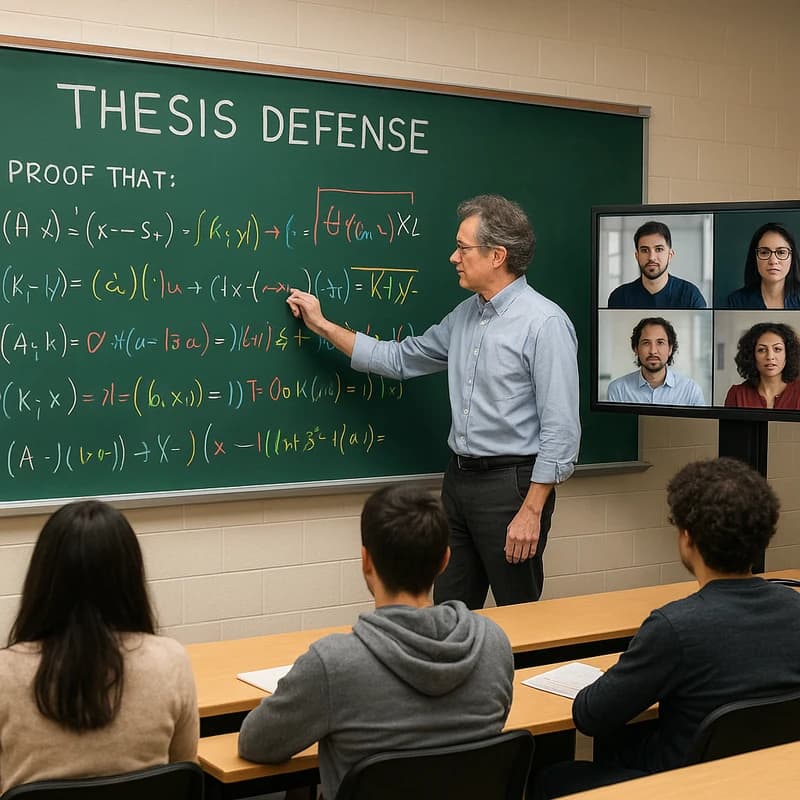
Can Turnitin detect PowerPoint slides? Discover how text checks apply, when AI disclosure is needed, and how transparent processes protect integrity.
Quick Answer
Can Turnitin detect PowerPoint slides? Not automatically. Turnitin primarily scans text for originality, not slide decks in their native format. You can use AI to draft outlines, speaker notes, and visuals for thesis defense slides, but disclosure and proper citation remain essential. Detectors vary on AI content, and PowerPoint text can be flagged only if uploaded as a file. Maintain an AI assist log and disclose AI use in your appendix or speaker notes. Key takeaway: AI support is powerful, but transparency safeguards integrity.
Complete Guide to How to use AI to prepare your thesis defense slides without violating academic integrity (and what detectors can/can’t catch)
A robust defense presentation blends rigor, clarity, and ethical stewardship of cognitive labor. AI can accelerate the drafting of outlines, the sketching of figures, and the rehearsal of responses, yet the boundaries are real and policy-dependent. This guide maps the landscape: what detectors can and cannot catch, how institutions actually judge AI-assisted defenses, and practical, integrity-safe workflows you can adopt today.
- AI as a helper, not a co-author: Use AI to scaffold ideas, generate visual drafts, and prepare potential questions, then critically curate, edit, and verify every element with your own understanding.
- Text plus visuals: Most AI detection tools prioritize text. Visuals, voiceover, and slide structure are less uniformly scanned, but you should document processes for all AI-assisted components.
- Disclosure is your shield: A clear disclosure narrative and artifacts (logs, prompts, and sources) reduce ambiguity and demonstrate responsible use.
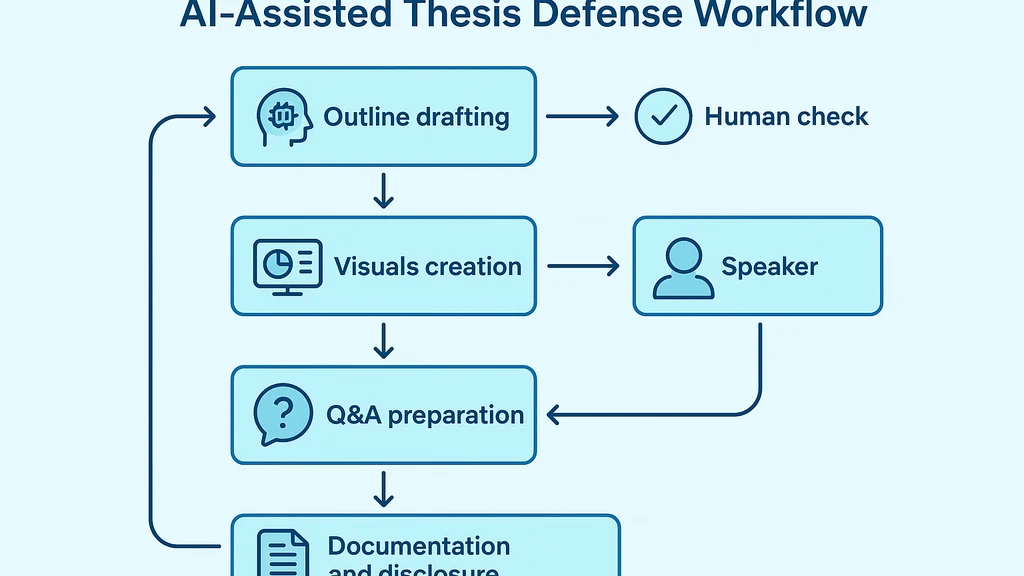
Key Takeaway: The strongest safeguard is a transparent workflow that combines AI-assisted efficiency with human verification and explicit disclosure.
Practical workflow: outline, visuals, notes, and rehearsal
- Step 1: Define core claims and storytelling arc
- Prompt AI to draft a 6–9 slide outline that foregrounds your thesis claim, methodology, findings, and implications.
- Keep prompts narrow to minimize drift; always compare AI outputs against your actual thesis text.
- Step 2: Create visuals with AI-enabled tools, then hand-edit for accuracy
- Use AI to generate draft charts or schematic diagrams, but verify data sources and axis labels directly in your own words.
- Where possible, pull visuals from reputable sources and repurpose with proper citations.
- Step 3: Craft speaker notes and annotations
- Have AI draft talking points, then rewrite in your voice and fill in technical specifics you can defend in defense Q&A.
- Step 4: Prepare Q&A and defense transitions
- Use AI to anticipate likely questions, but rehearse with caveats and your own analyses.
- Step 5: Documentation and disclosure
- Maintain a concise AI assist log (date, tool, purpose, prompts, outputs, edits).
- Include a disclosure slide or appendix entry that explains how AI contributed to the presentation.
- Step 6: Rehearsal and integrity checks
- Rehearse aloud, cross-check citations, and ensure all AI-sourced content can be traced to verifiable sources.
Evidence and data points
- Many institutions are actively updating AI policies and defense guidelines in the wake of widespread AI tool adoption. Expect a rising baseline of disclosure requirements and specific expectations for slides and live talks.
- Surveys among graduate programs indicate a growing emphasis on transparency: committees increasingly expect students to articulate where AI assisted their work and how any outputs were derived or validated.
- Experts consistently warn that AI detectors for slides are imperfect: text detectors are more mature than any reliable, universal detector for AI-generated visuals or voiceover, so human verification remains critical.
Edge cases to watch
- AI-generated figures: Even if AI creates a figure, you must verify the data provenance and labeling. An AI-generated chart that relies on incorrect data is a risk, regardless of detection.
- AI-generated voiceover and narration: If you script or auto-narrate, you should be ready to defend the veracity and source of every claim, including the rationale your AI-assisted draft used.
- Slide-level detection: Turnitin-like detectors scan text; they don’t "see" your slides as a slide deck unless you upload the slides as text. The more text you copy into final slides, the more exposure to text-based checks.
What detectors can/cannot catch in practice
- Turnitin AI detection: Some tools flag AI-generated text by analyzing statistical patterns. The reliability varies; a high-risk score in isolation doesn’t prove duplication or misrepresentation, and false positives are common.
- Turnitin detect PowerPoint content: If your PowerPoint text is uploaded to a Turnitin submission, the original text becomes eligible for similarity checks. The detection of AI-generated content within slides depends on whether the AI-authored portions resemble published sources or typical AI-output patterns.
- Images and graphs: Purely visual elements are less likely to trigger text-based detectors. However, if a figure is created from text that mirrors an existing source, similarity checks can catch it indirectly.
- Live narration and oral defenses: Detectors focus on written text; live delivery isn’t scanned by Turnitin in real-time. Ethical integrity hinges on your ability to answer questions and justify all claims without relying on opaque AI outputs.
How to align AI use with institutional policies
- Read the policy closely: Look for sections on “AI in student work,” “disclosure requirements,” and “defense integrity.” Some programs require a formal disclosure if AI contributed to any part of the defense materials.
- Use clear disclosures: State what AI did (outline drafting, figure generation, speaker notes, etc.), which outputs you edited, and which sources you verified manually.
- Provide artifacts: Include an AI assist log, prompts used, and the raw AI outputs alongside your own edits and verifications.
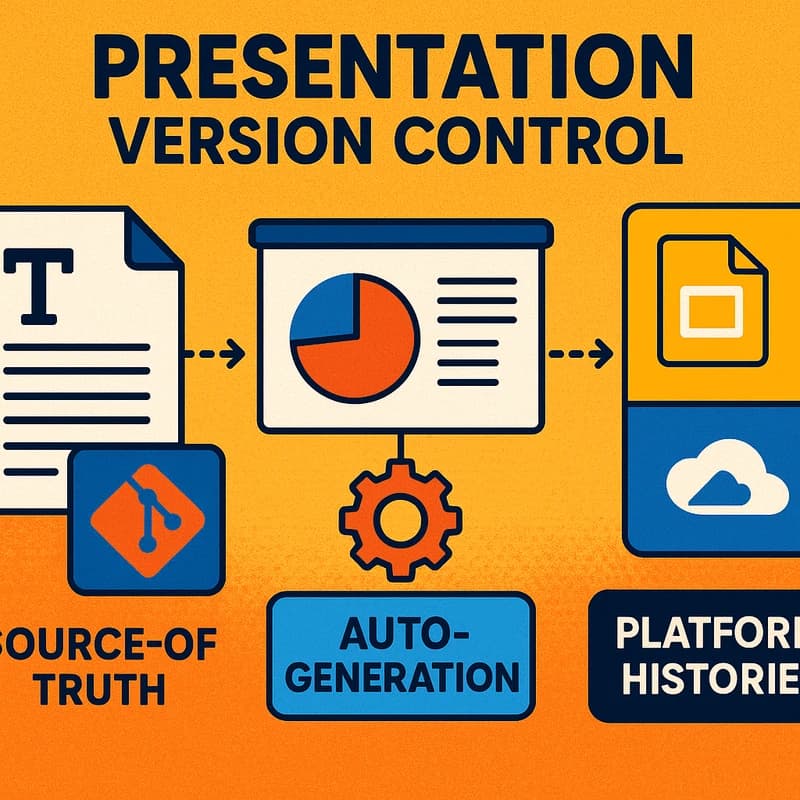
- Maintain version control: Track revisions with timestamps to show the evolution from AI drafts to your final slides.
Key Takeaway: Integrity is not a single act at the podium; it’s a documented process that demonstrates deliberate human oversight of AI-assisted work.
Potential disclosure language and artifacts you can prepare
- Sample disclosure language for slides
- “AI-assisted drafting: Outline and speaker notes were generated using AI tools. All data, findings, and figures were verified by the author against primary sources and audited for accuracy.”
- “AI-generated visuals: Figures 1–3 were drafted with AI tools and subsequently edited for accuracy and provenance.”
- AI assist log template (simple, appendix-friendly)
- Date:
- Tool(s) used:
- Purpose:
- Key prompts:
- Outputs:
- Edits and human verification steps:
- Source checks performed:
- Final slides impacted:
- Citations and attribution
- For any AI-produced content that summarizes or echoes someone else’s work, provide proper citations to the underlying sources.
- If AI contributed to structuring a point but did not originate an idea, credit the human author (you) for the intellectual contribution while noting AI-assisted drafting in the appendix.
Key Takeaway: A concise AI assist log and explicit disclosures create a defensible trail that satisfies many integrity policies while preserving your own scholarly voice.
Common pitfalls to avoid
- Over-reliance on AI for core claims: Your defense relies on your understanding and synthesis; AI-generated text that simply parrots sources can undermine originality.
- Inadequate data verification: Figures and data presented without verification undermine credibility and risk misrepresentation.
- Ambiguous disclosures: Vague statements like “AI-assisted” without specifics leave committees guessing about the scope of AI involvement.
- Inconsistent voice: Mixed tones between AI-generated notes and your own voice can signal uneven preparation and erode trust.
Key Takeaway: Clarity and consistency in both content and disclosure are your best safeguards.
Expert insights and practical data
- Insight: Many graduate programs report that transparent AI disclosures have correlated with smoother defenses and fewer policy violations during committee reviews.
- Data point: A growing majority of institutions adopt AI-use policies in the last year, with a notable uptick in requirements for slides and oral defenses to include a disclosure section.
- Expert quote (paraphrased): “AI can accelerate preparation, but the integrity test is whether the candidate can justify every claim without recourse to opaque tools.”
Key Takeaway: The defense is as much about integrity as intellect; AI is a tool that should be openly integrated rather than hidden.
Practical Applications (Real Examples)
- Example 1: AI outline to slide deck
- Use AI to draft a 6–9 slide outline that covers thesis motivation, methods, key results, and implications.
- Present the AI-generated outline to a mentor for critique, then rewrite in your own voice with precise data and citations.
- Example 2: AI-assisted figure creation with verification
- Generate a draft chart with AI to visualize a trend, then replace with a chart you have manually validated from your dataset and cross-check axis labels.
- Include a brief slide note stating that the figure was drafted with AI assistance and verified using your primary data.
- Example 3: Rehearsal prompts and Q&A prep
- Ask AI to generate potential Q&A questions, then prepare your own detailed responses with evidence from your thesis.
- Add a slide or appendix page listing potential questions and your verified answers, emphasizing areas where AI aided preparation but not final conclusions.
- Example 4: AI assist log in appendix
- Attach a page with the AI assist log, showing dates, tools, prompts, outputs, and your edits to demonstrate transparent use.
Key Takeaway: Practical workflows that couple AI assistance with human verification and formal disclosures help maintain integrity while leveraging efficiency.
What detectors can/can’t catch in practice (recap)
- Detectable via text-based plagiarism/dal patterns: AI-generated passages that copy or closely resemble published sources.
- Not guaranteed for visuals or spoken content: AI-created figures and narrated content may escape straightforward detection unless mirrored in text you upload.
- PowerPoint detection nuance: If you export slides to text and upload, text detectors can flag similarities; if not, detection relies on other cues and policy checks.
- Bottom line: Don’t rely on detectors alone; implement transparent processes and disclosures to ethically hedge your defense.
Key Takeaway: Detection is imperfect; integrity requires transparent workflows and substantive verification.
What you should do next
- Create your AI assist log now: document your intended AI uses, prompts, outputs, edits, and verification steps.
- Draft your AI disclosure language and appendix entry, then refine with your advisor.
- Prepare a minimal, robust set of AI-generated visuals with explicit provenance and data sources.
- Rehearse with colleagues focusing on your own reasoning and interpretations, not just AI-generated content.
- Review your institution’s most recent AI policy updates and align your slides accordingly.
Key Takeaway: Proactive planning and transparent documentation reduce friction and strengthen defense integrity.
Are AI-generated figures detectable by detectors? Yes, in some cases, if the figure's textual content or captions echo AI-generated patterns or if the underlying data sources mirror published material. However, detectors are not omnipotent for visuals; you should verify data provenance and provide explicit source citations. The safest path is to use AI for drafting and visualization, then replace with your own verified data and add disclosures that the visuals were AI-aided.
Key Takeaway: Maintain rigorous data provenance and disclose AI usage for visuals to preserve trust and credibility.
What is an AI assist log and how to use it? An AI assist log is a concise record detailing how AI contributed to your slides and speech. Use it to show transparency and accountability to your committee. Include tool name, date, purpose, prompts, outputs, edits, and source verification steps. Attach the log in an appendix or speaker notes with a brief narrative on how AI supported your workflow.
Key Takeaway: An AI assist log is a practical artifact that supports integrity and helps reviewers understand your workflow.
What disclosures are required for AI in theses? Disclosures vary by institution but commonly include:
- A brief statement identifying the AI tools used for outlining, drafting, or figure generation.
- A note on how AI outputs were validated and by whom (you, your advisor, or both).
- A short appendix entry with the AI assist log and a list of sources used to verify AI outputs.
- Clear invocations of prompts or prompts categories, without exposing sensitive or proprietary prompts.
Key Takeaway: Clear, concise disclosures provide a defensible basis for AI-assisted defense materials.
People Also Ask
- Will Turnitin flag AI-generated slides?
- Can Turnitin detect AI in PowerPoint slides?
- How should I cite AI in a presentation?
- What disclosures are required for AI in theses?
- Are AI-generated figures detectable by detectors?
- What is an AI assist log and how to use it?
- Do institutions require disclosure even for minor AI contributions?
- How can I ensure my defense remains ethically sound when using AI?
- Are AI-generated slides subject to the same standards as human-authored slides?
- How should I handle sources generated or summarized by AI in the bibliography?
Key Takeaway: A robust FAQ structure helps you anticipate committee questions and policy concerns while ensuring you keep integrity front and center.
Next Steps
- Draft your 6–9 slide outline and identify areas where AI assistance adds genuine value.
- Create initial AI-generated visuals and verify with your data. Replace where necessary and annotate accordingly.
- Write your AI disclosures and assemble the AI assist log in an appendix or speaker notes.
- Schedule a practice run with your advisor to review the disclosure, data provenance, and Q&A readiness.
- Keep monitoring institutional AI policy updates and adjust your materials as required.
Key Takeaway: The path to a confident defense lies in deliberate preparation, transparent disclosure, and steady human oversight.
Related topics for internal linking (no links needed here)
- Academic integrity AI disclosure
- AI-generated slides detection
- Turnitin AI detection capabilities
- AI tools in graduate education policy
- Citing AI in academic work
- Visual data provenance in theses
- Best practices for thesis defense presentations
- Ethical AI use in research communication
If you’d like, I can tailor the disclosure language to a specific institution’s policy or draft a custom AI assist log template aligned with your program’s requirements.